Chrome extension, 2026
Page Snap
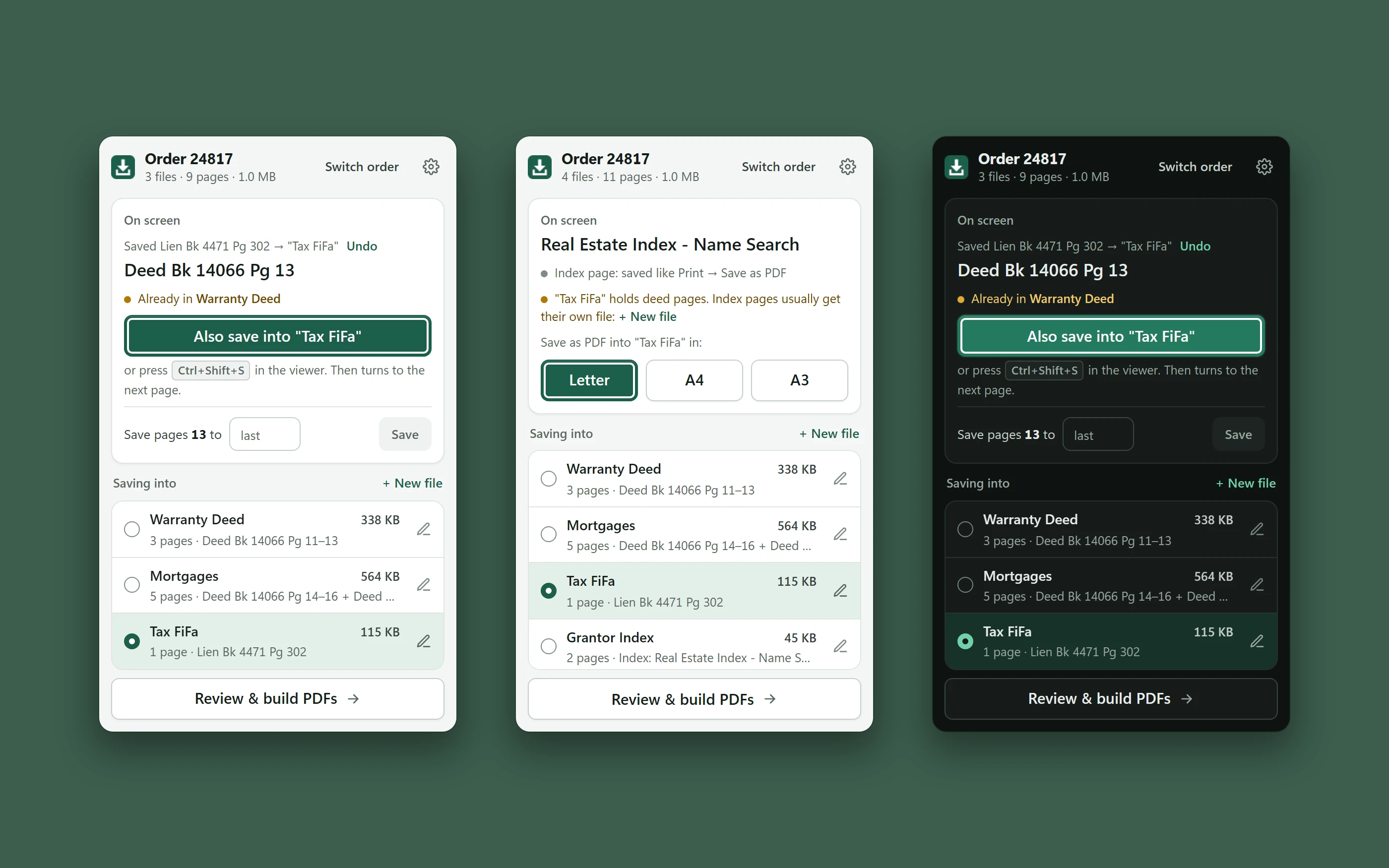
Save the page on screen into the right file, then build the PDFs.
A Chrome extension for people who pull many pages out of a public records viewer. Each page goes into a named file for an order with one shortcut, and one click builds a PDF per file plus a merged PDF with a bookmark for each. It makes no server calls of its own.
- 1key per page
- 3index page sizes
- 1merged PDF
- 0server calls
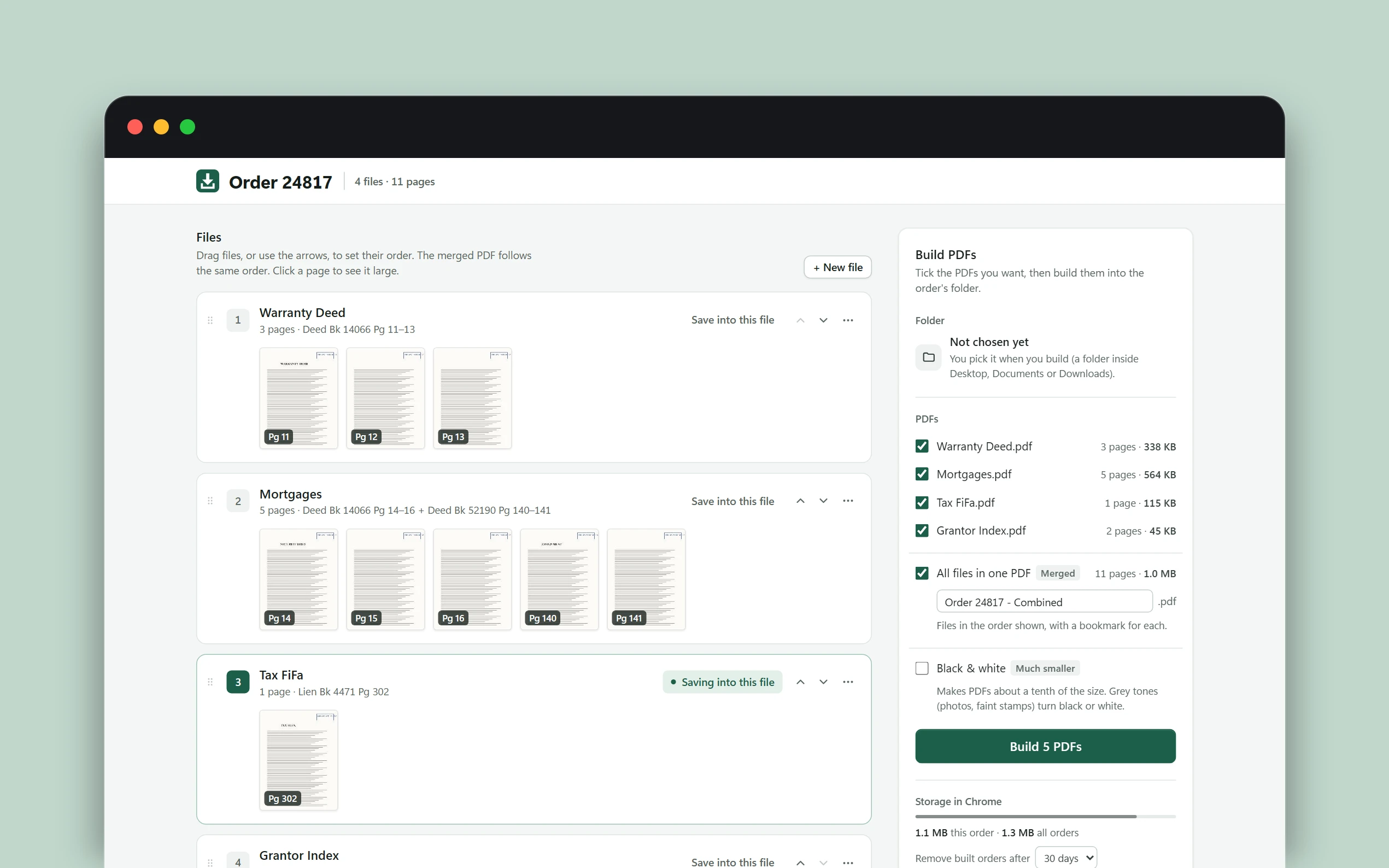
Review, reorder, build.
Drag files into order, rotate, move or remove pages, choose black and white for much smaller files, then build one PDF per file and a merged PDF with a bookmark for each.
How it works
One shortcut per page.
Ctrl+Shift+S saves the page on screen into the chosen file and turns to the next one. The window warns when a page is already in another file, and the last save can be undone.
A run of pages in one go.
“Save pages 13 to last” works through a range by clicking the viewer’s own Next button, the same click a person would make.
Index pages print properly.
Search and index pages are saved the way Print then Save as PDF would, in Letter, A4 or A3.
Under the hood
It only acts on what you can see.
The extension never opens or fetches pages by itself, so it adds no requests and no charges to the user’s own session.
Nothing leaves the browser.
Pages are kept in Chrome storage until the order is finished or cleared after a set number of days. System fonts only, no CDNs, no network calls.
Fits where it opens.
The toolbar window stays inside Chrome’s 600 px limit in every state, and a size-check script confirms it.
Details
- Built with
- JavaScript, Manifest V3, Chrome storage, PDF generation
- When
- 2026